
Lua High CPU Usage: Find the Hottest Lua Code Path in Nginx/OpenResty
When Lua code drives high CPU usage in your Nginx or OpenResty servers, the fastest fix is to profile the live worker process and find the hottest Lua code path. In this tutorial, OpenResty XRay traces a worker stuck at 97% CPU to an MD5 computation loop in the gen_order_md5 function at processor.lua line 29 — without modifying or restarting the process.
The symptom: an Nginx worker process using almost 100% CPU
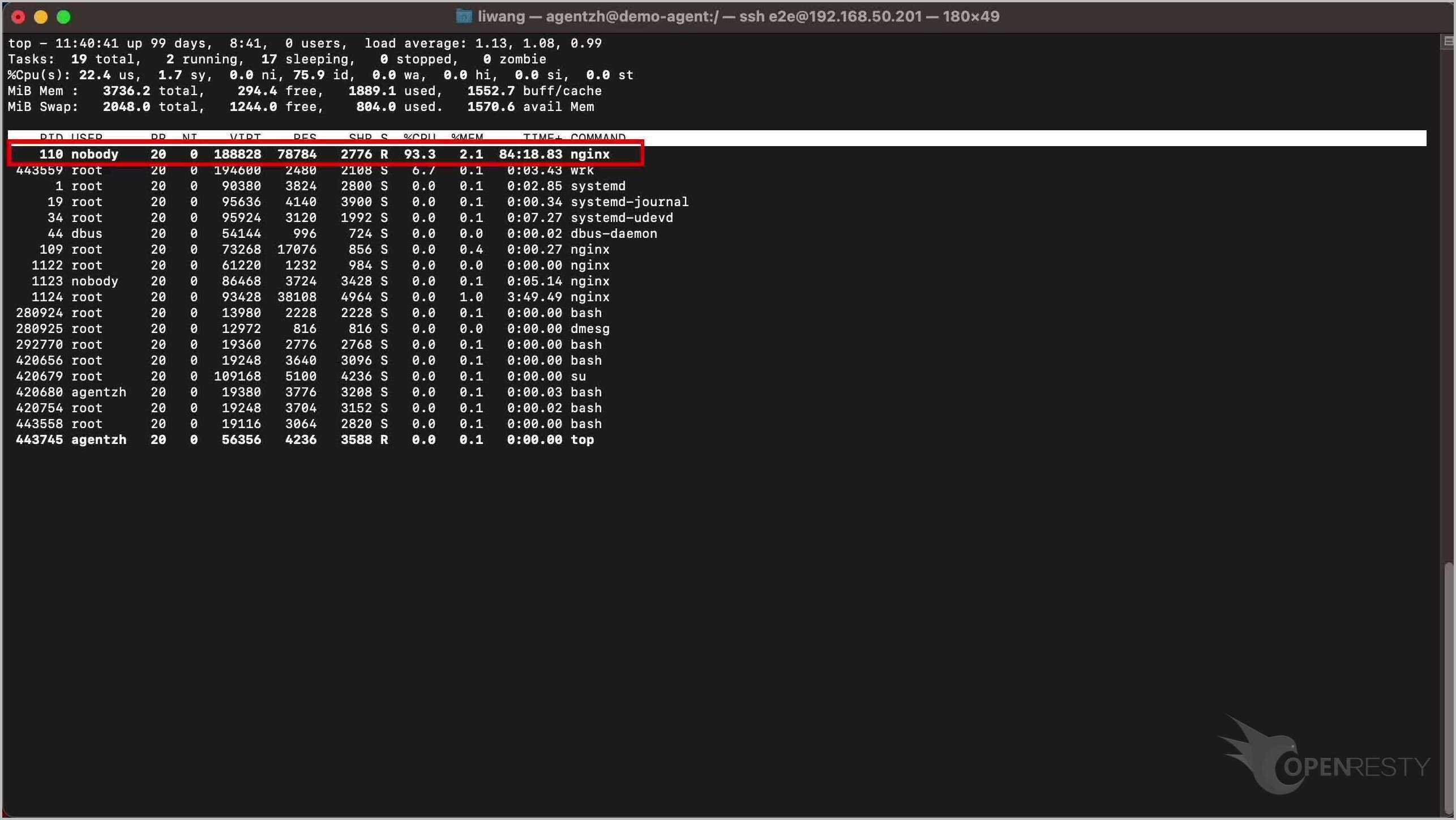
Let’s start by running the top command to check the CPU usage on the target server. As you can see, an Nginx worker process is taking up almost 100% of a CPU core.
Find the hottest Lua code path with Guided Analysis
Let’s use OpenResty XRay to check out this unmodified process. We can analyze it in real time and figure out what’s going on.
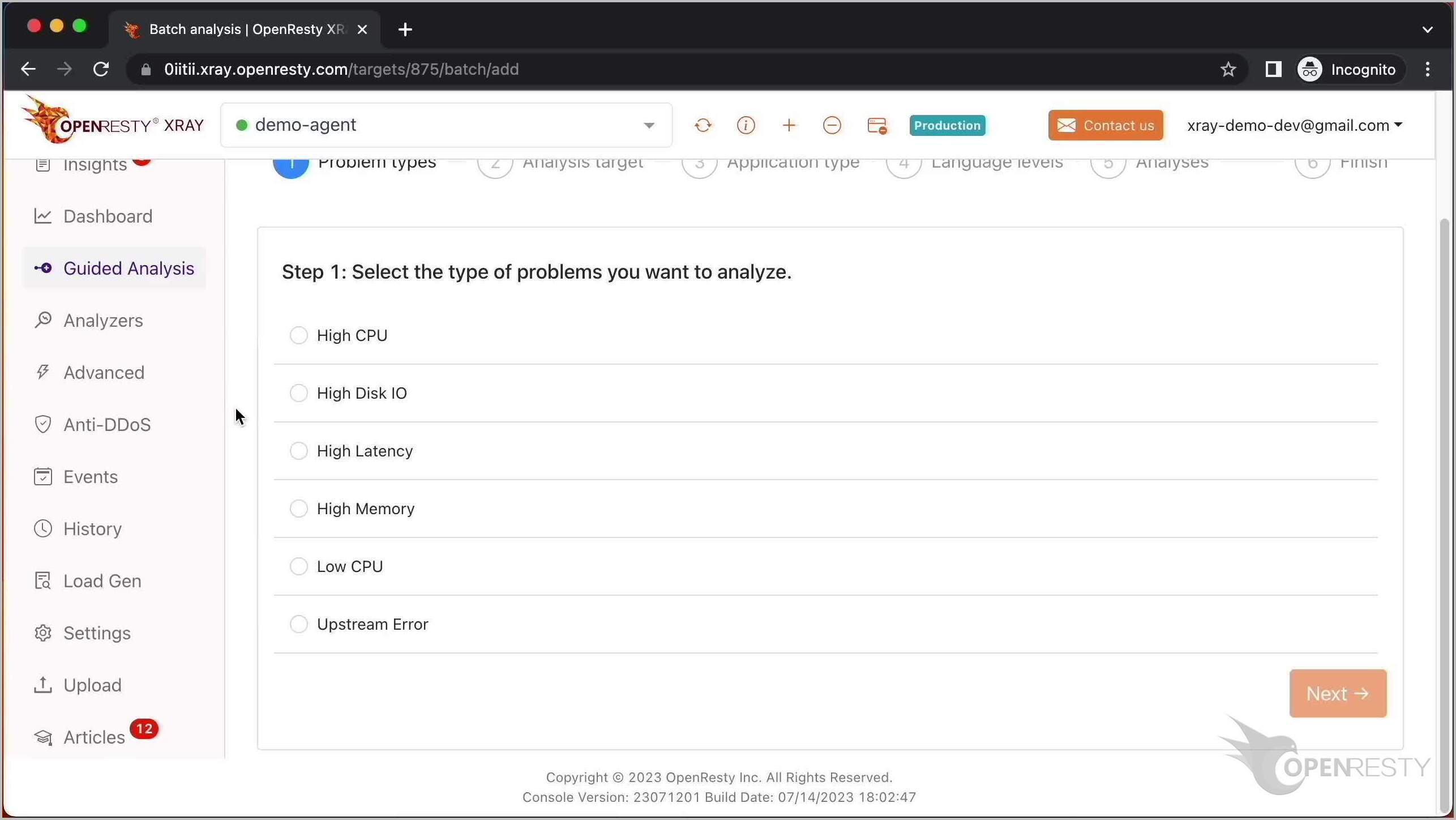
Open the OpenResty XRay web console, sign in, make sure it is the right server you are watching, and go to the Guided Analysis page. Here you can see different types of problems that you can diagnose. Let’s select High CPU.
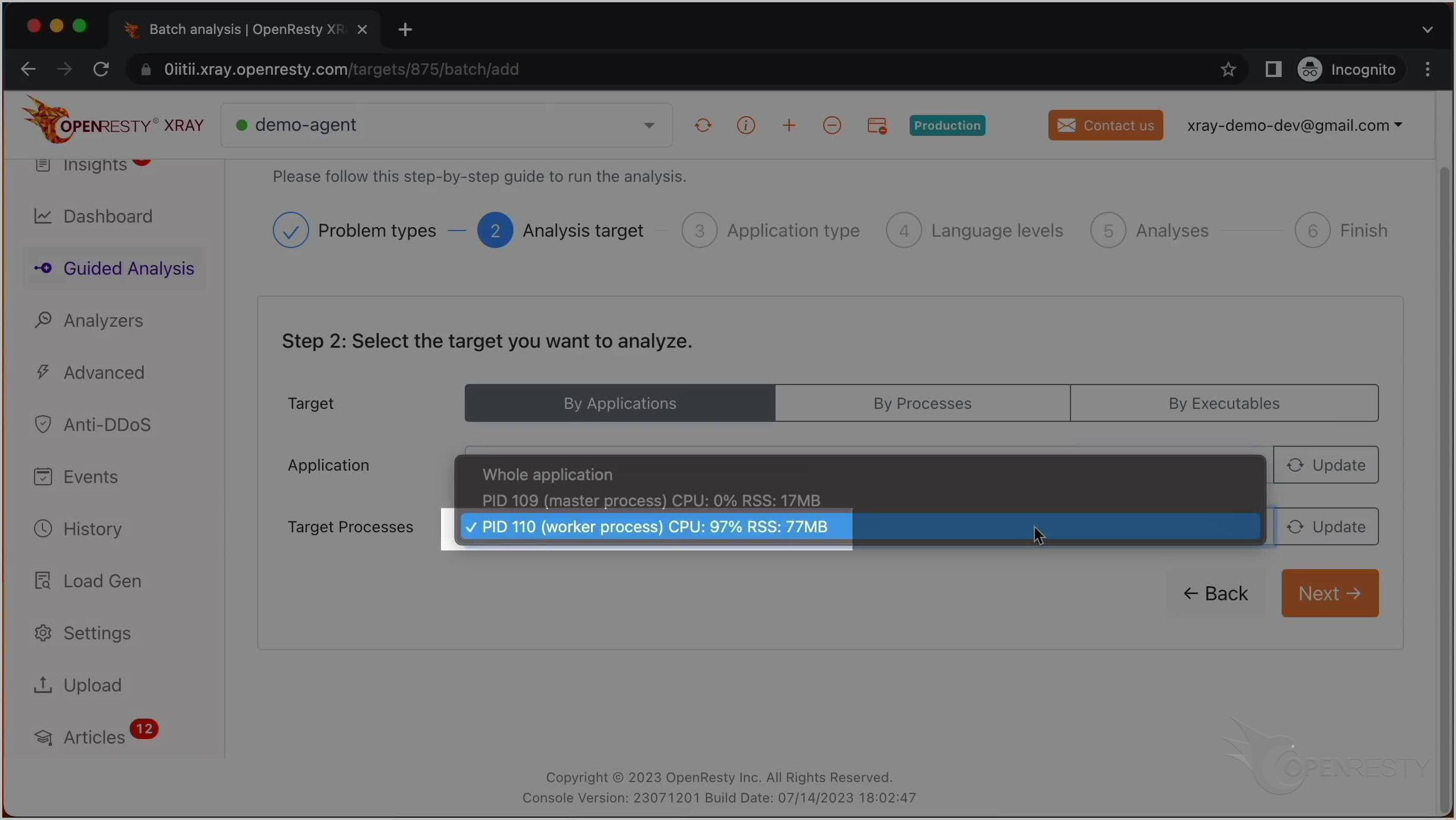
Select the application, and then the process that consumes 97% of the CPU resources.
Make sure that the application type is correct. Usually the default should be right. OpenResty XRay can analyze multiple language levels at the same time. We’ll keep both Lua and C selected.
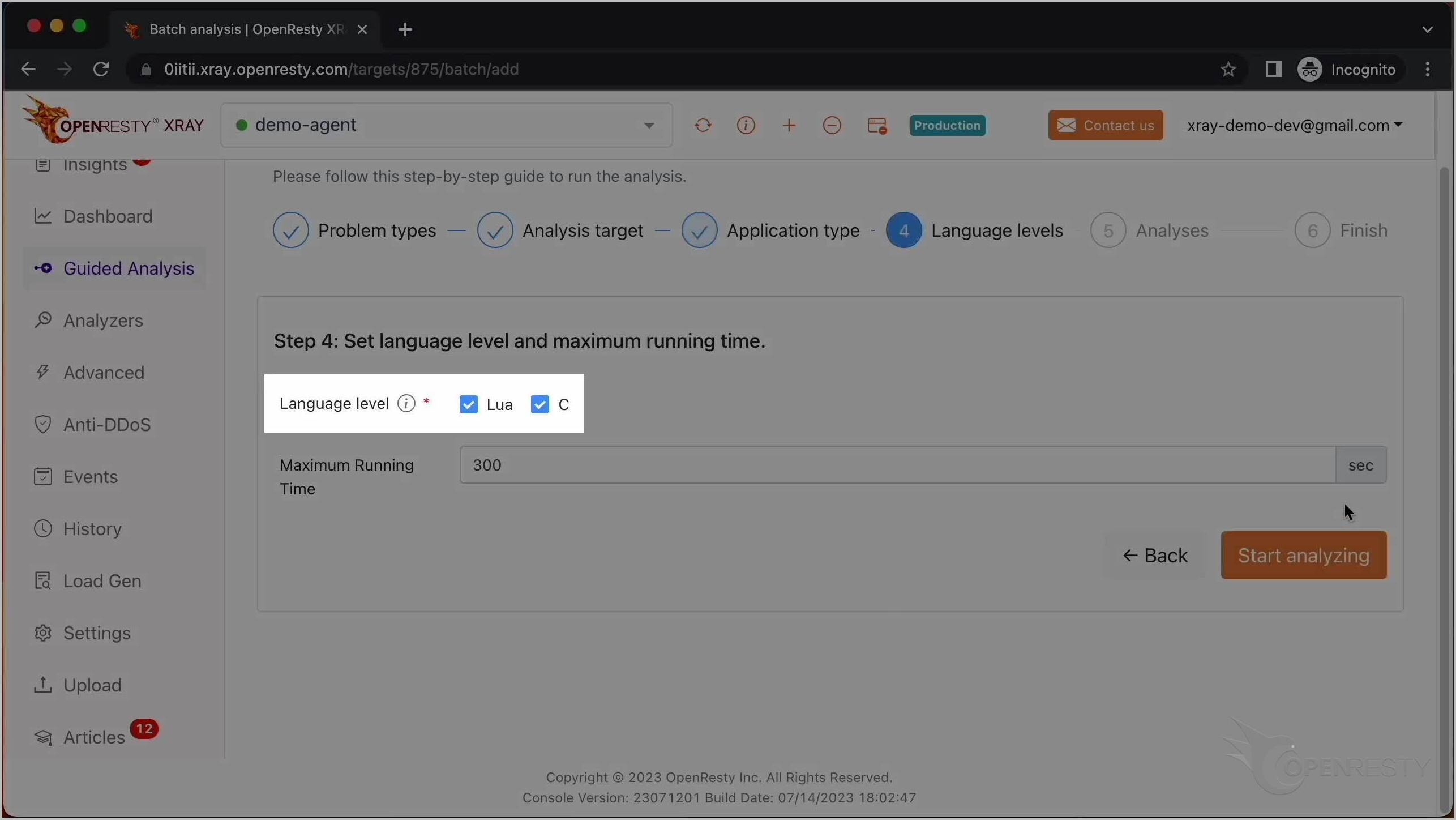
We can also set the maximum analyzing time; we’ll leave it at the default 300 seconds and start analyzing. The system keeps performing different rounds of analysis. The first round is enough for this case, so let’s stop analyzing now. We can see it automatically creates a report.
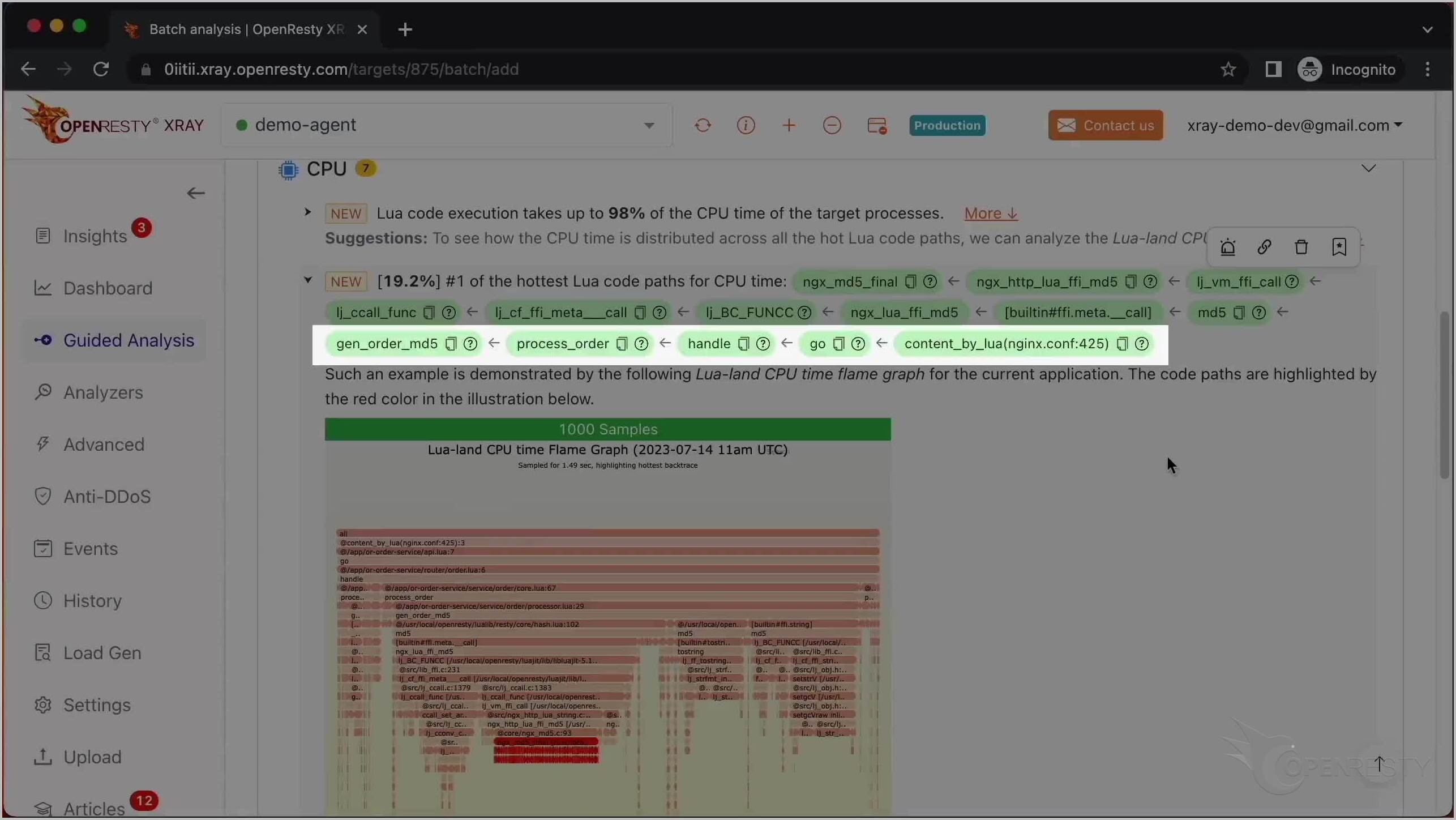
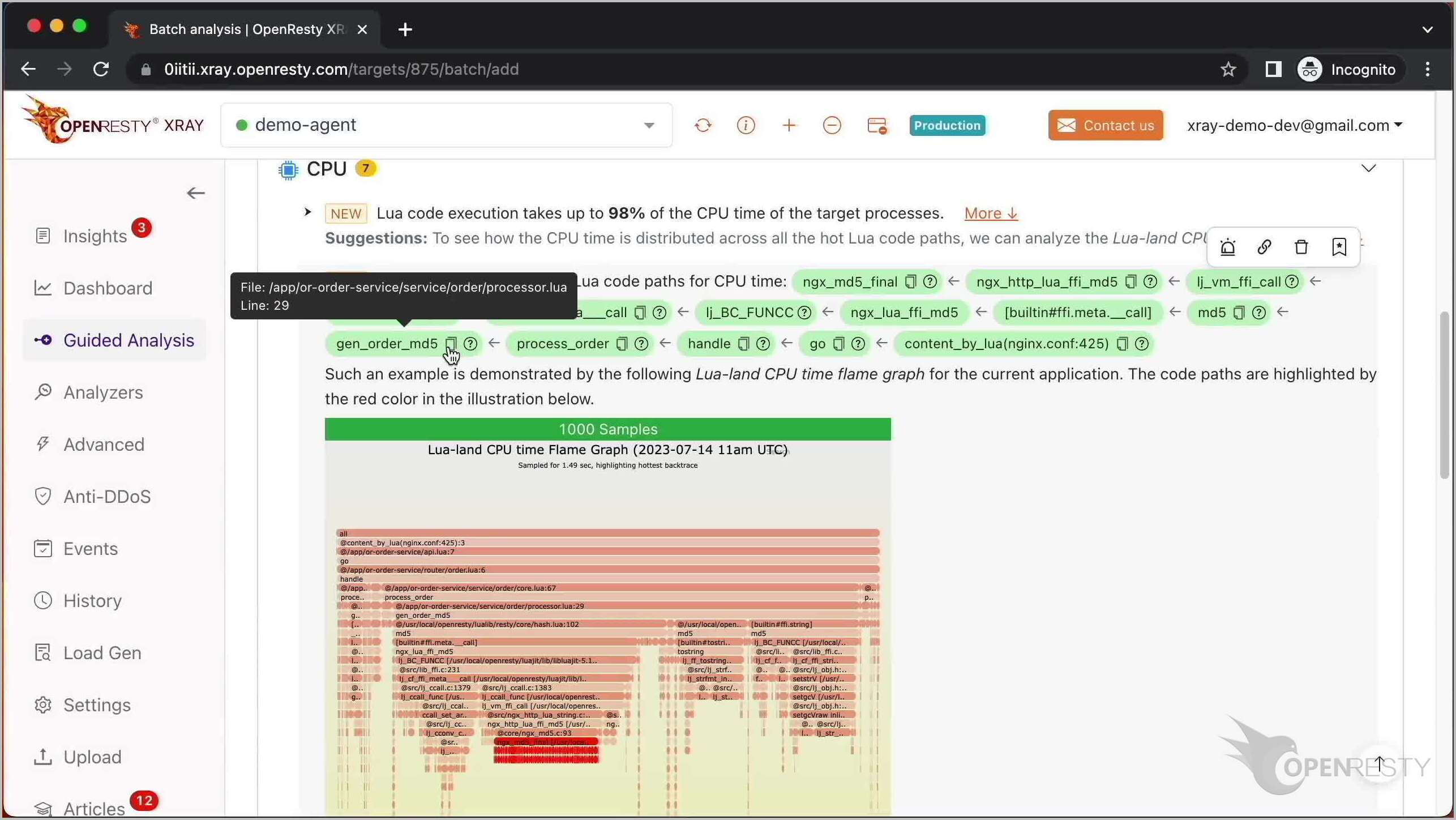
The report shows the hottest Lua code path that takes up the most CPU time.
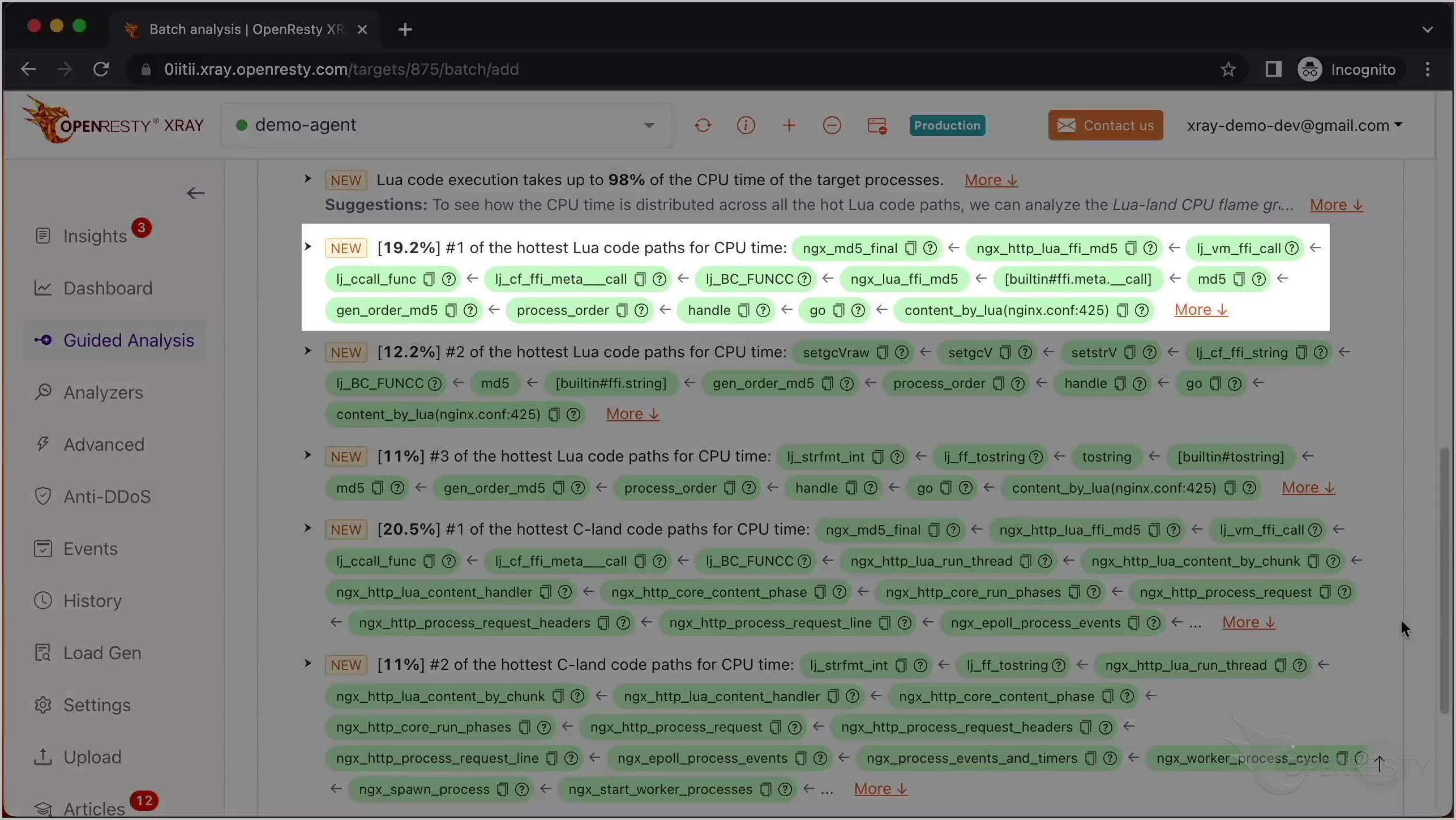
Click here to see more details.
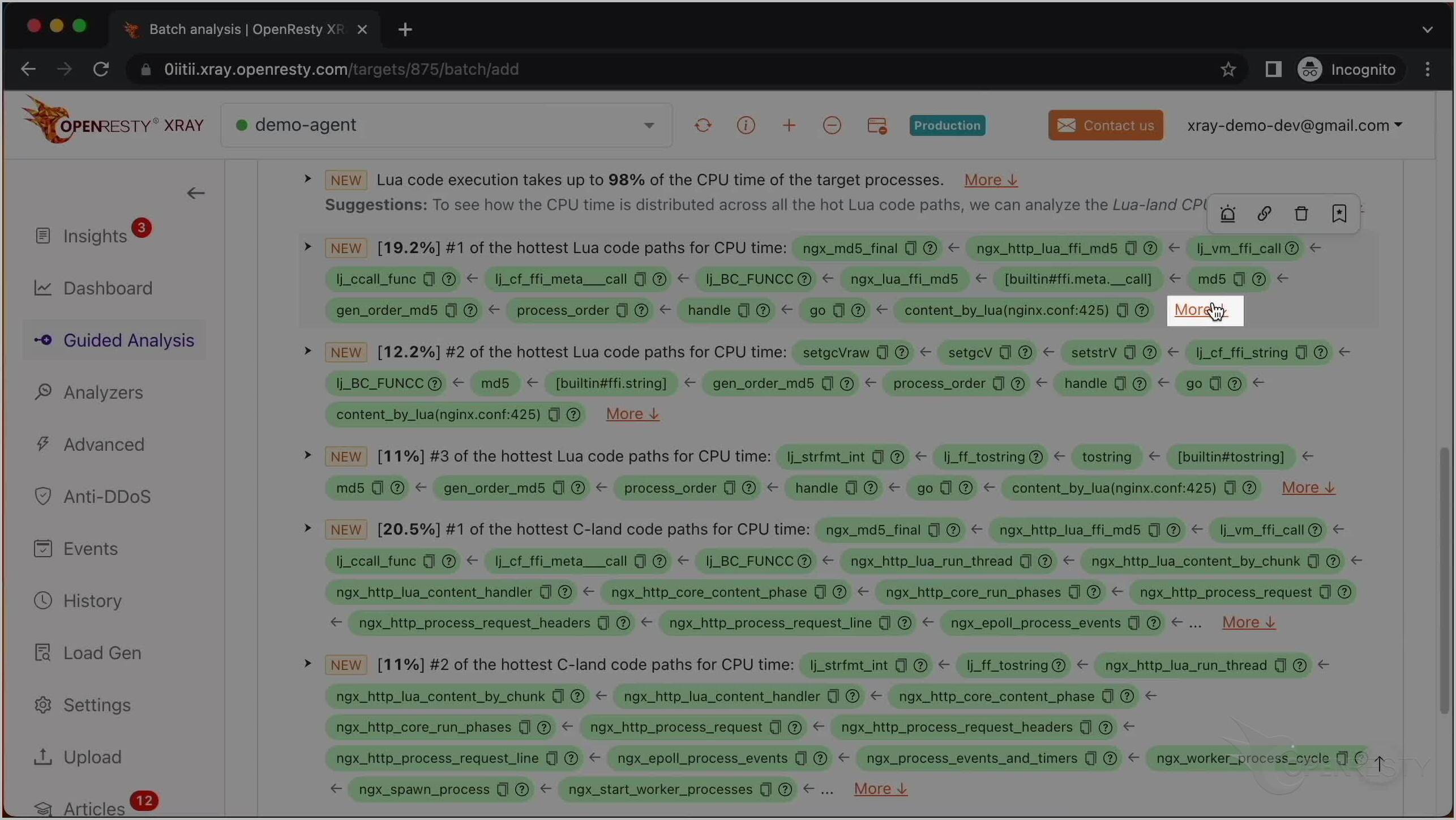
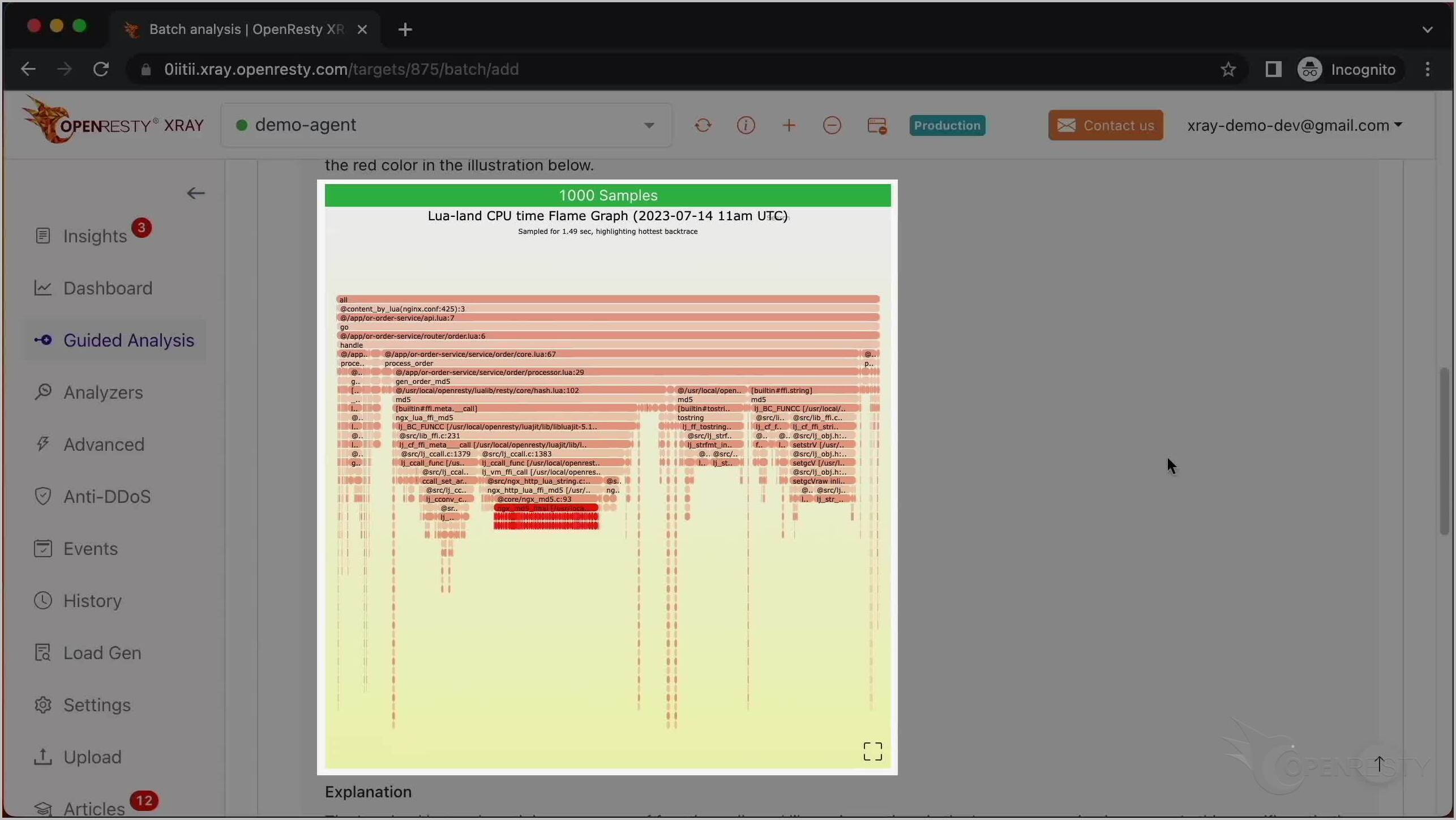
Read the Lua CPU flame graph
There is also a Lua CPU flame graph with the hot code path marked in red.
The hot Lua code path involves the MD5 computation function call.
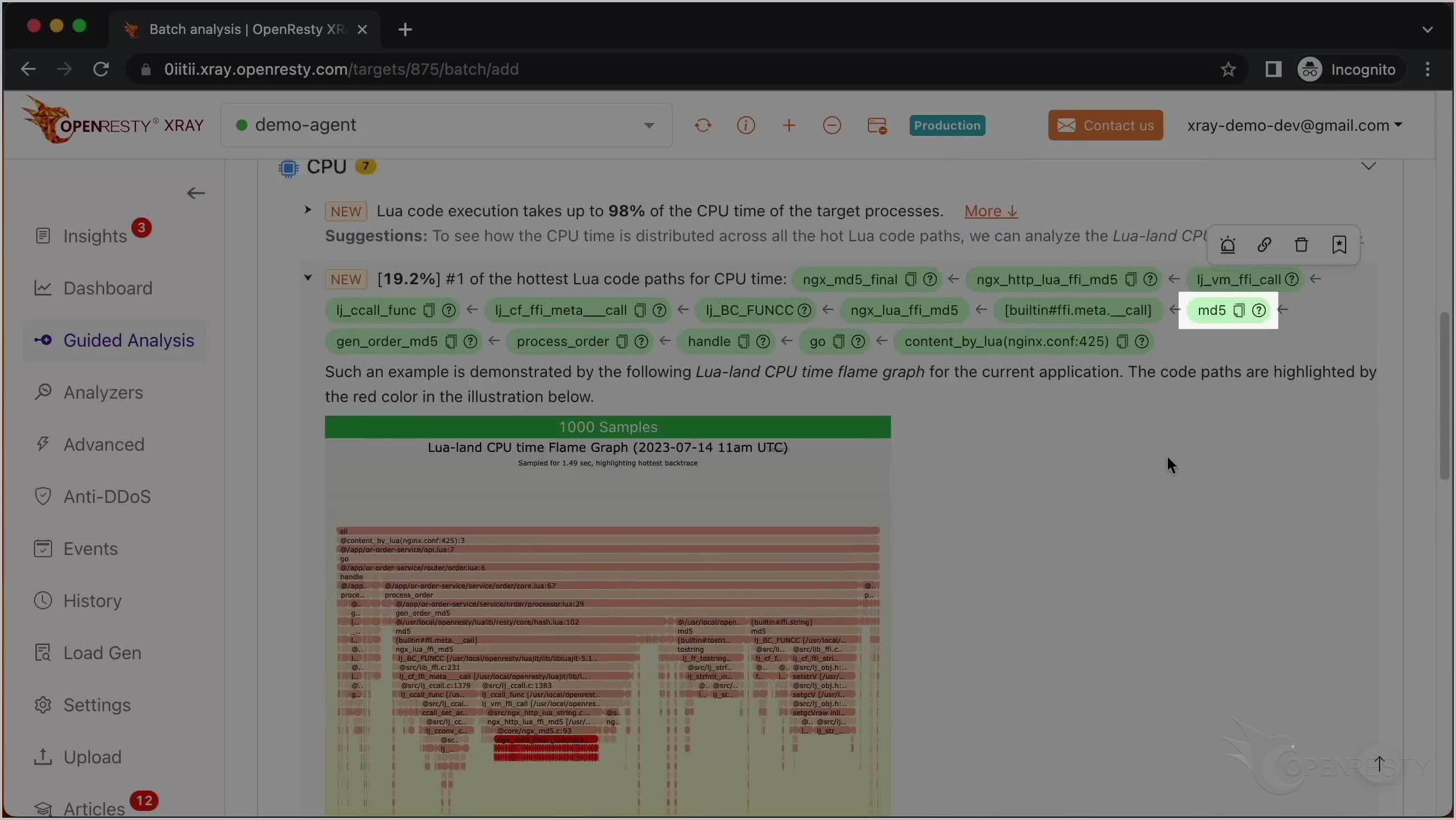
And the caller functions along the path are from the business-level code of the target application.
Jump to the exact Lua source line
Let’s find the exact source line in the application business code, starting with the gen_order_md5 Lua function.
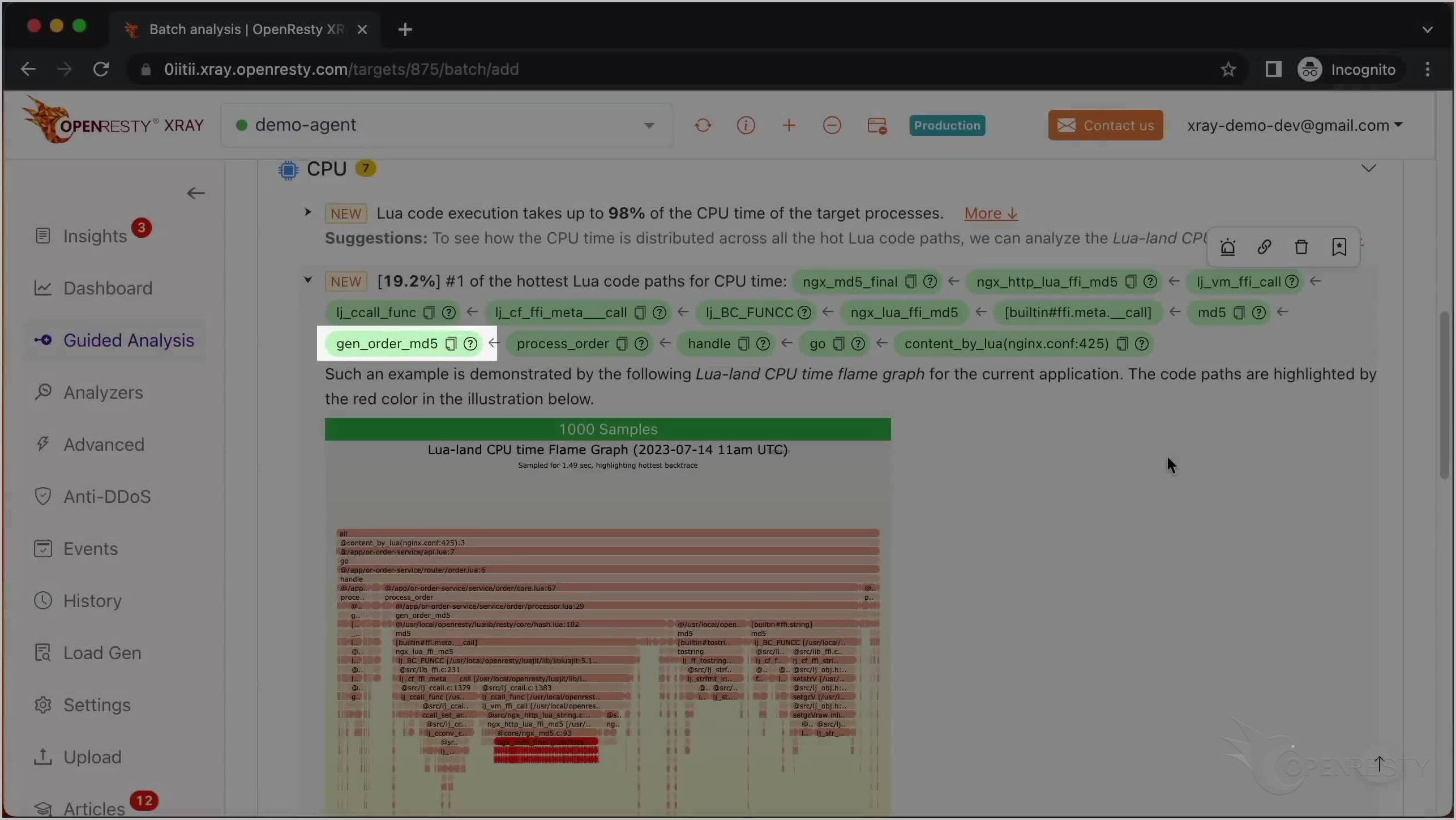
When we hover over the function’s green box, we can see the full path of the Lua source file, processor.lua, in the tooltip.
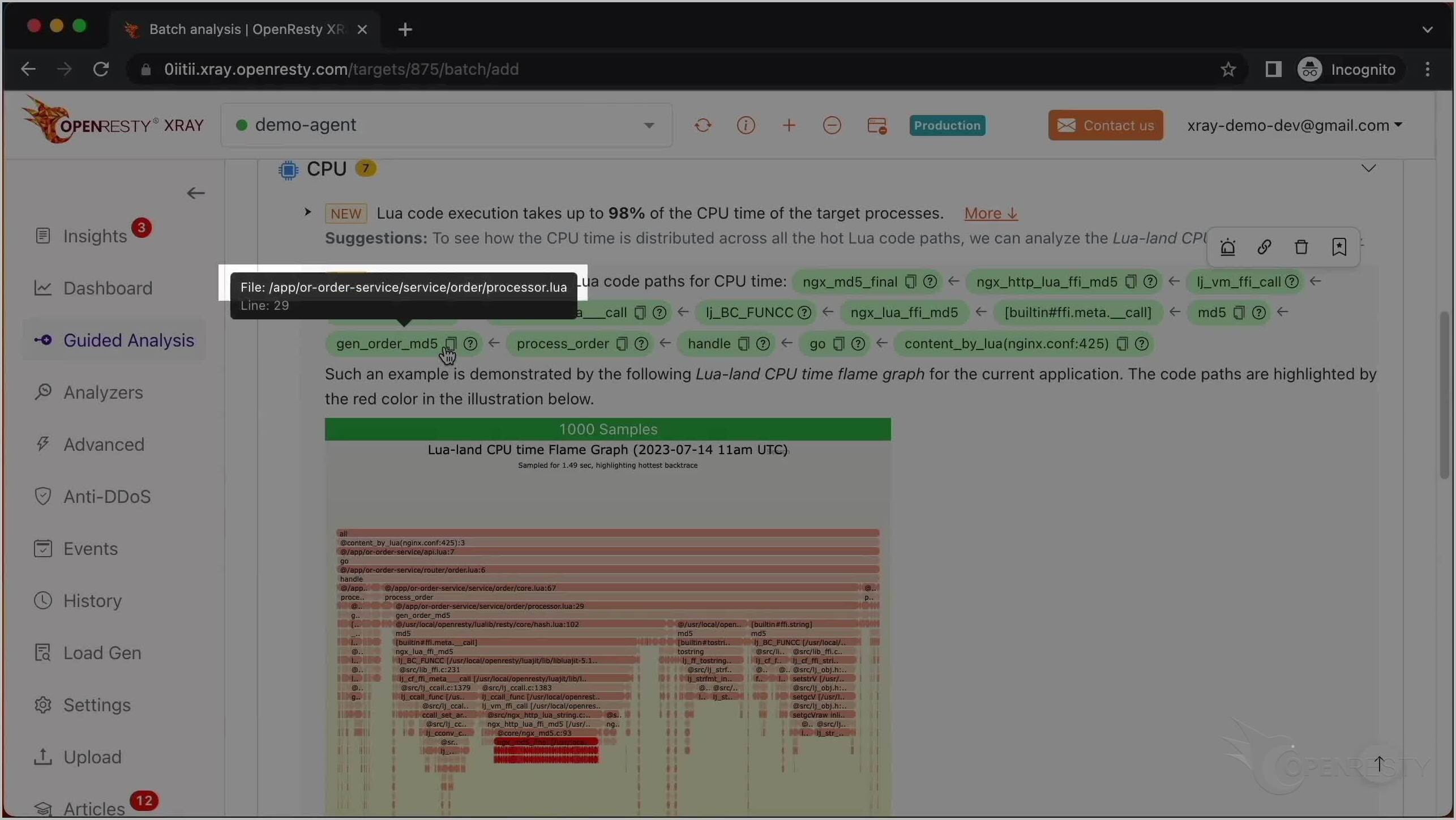
And the source line number is 29.
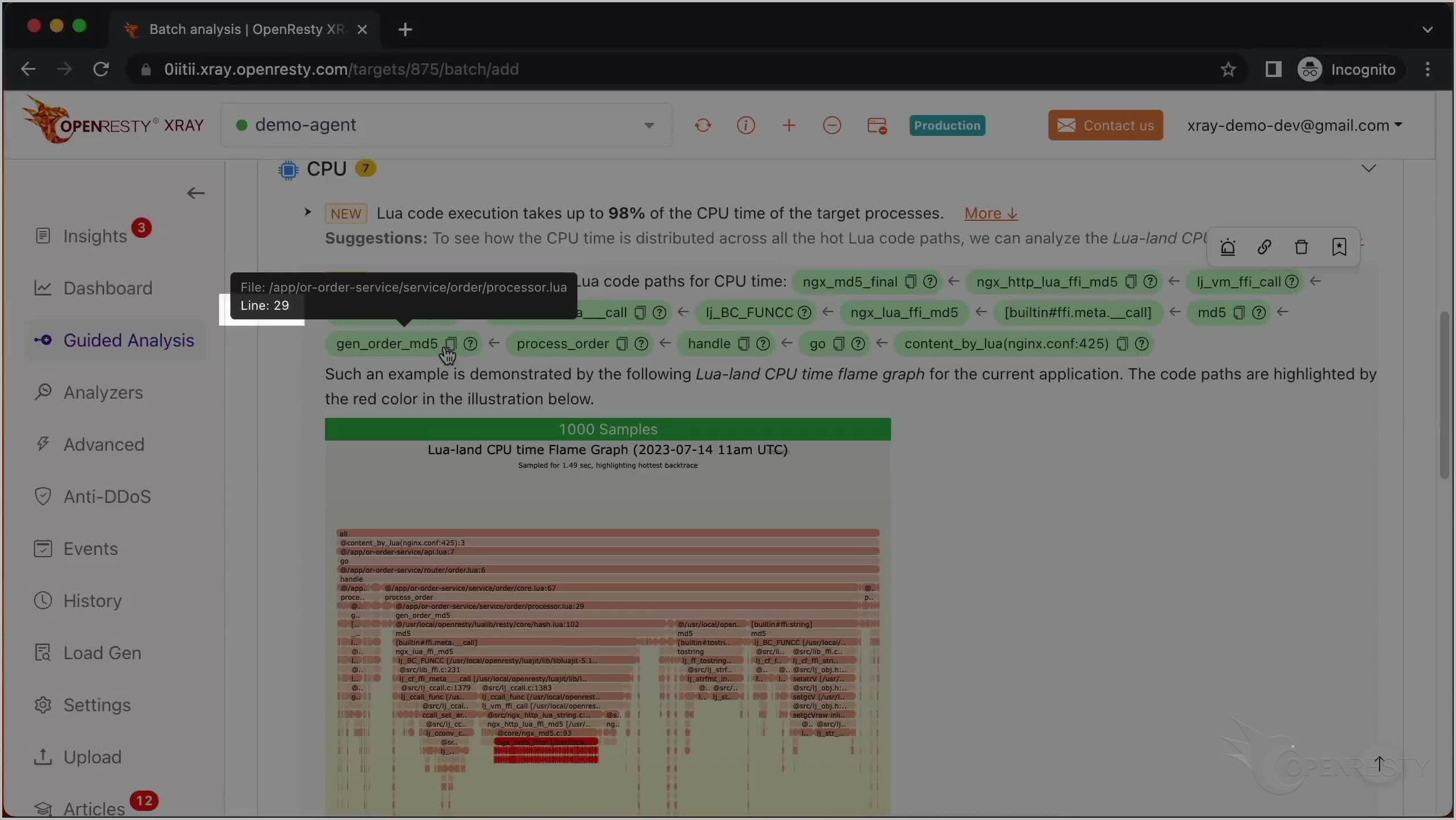
Click the icon to copy the full Lua source file path for this function.
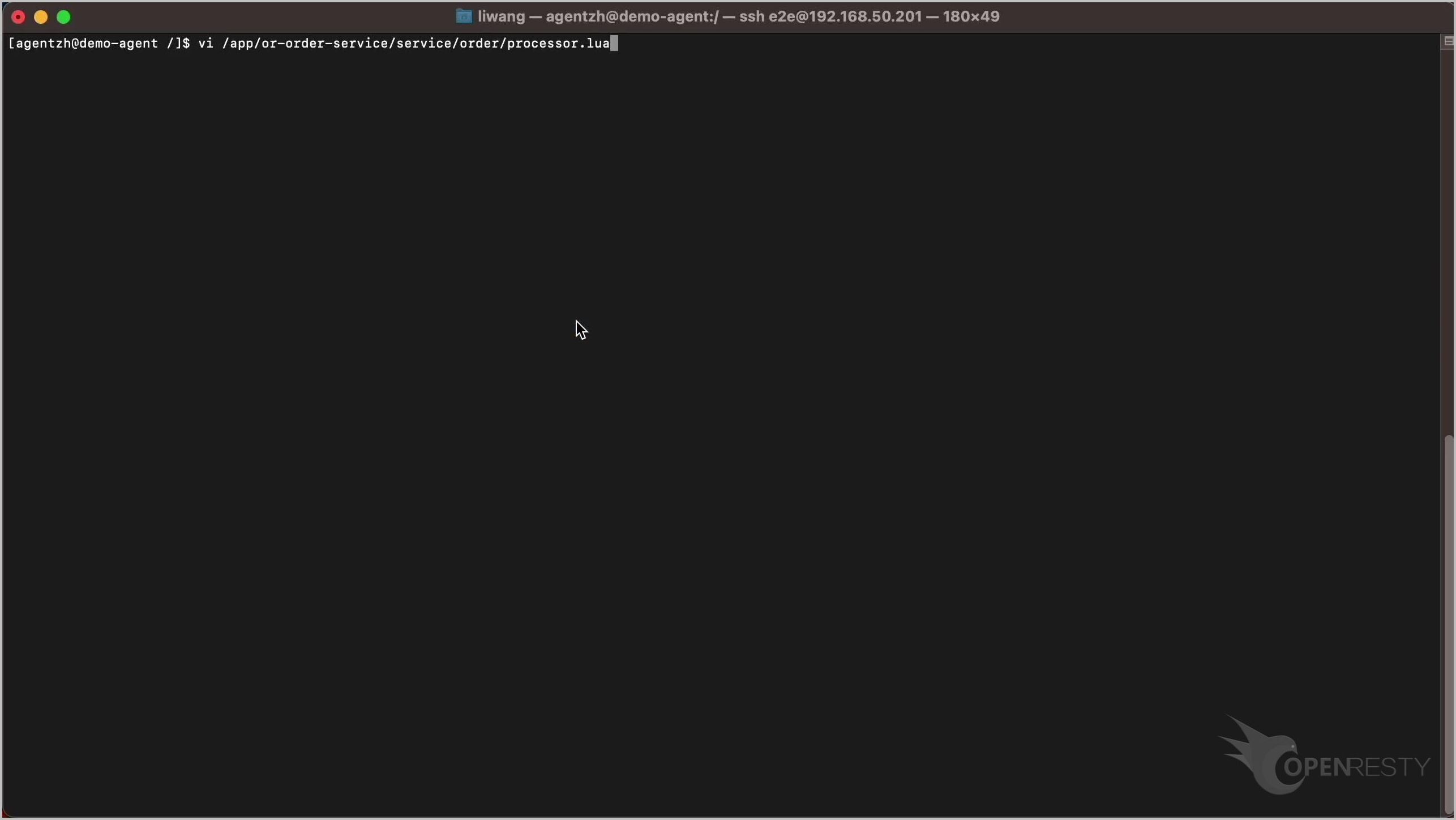
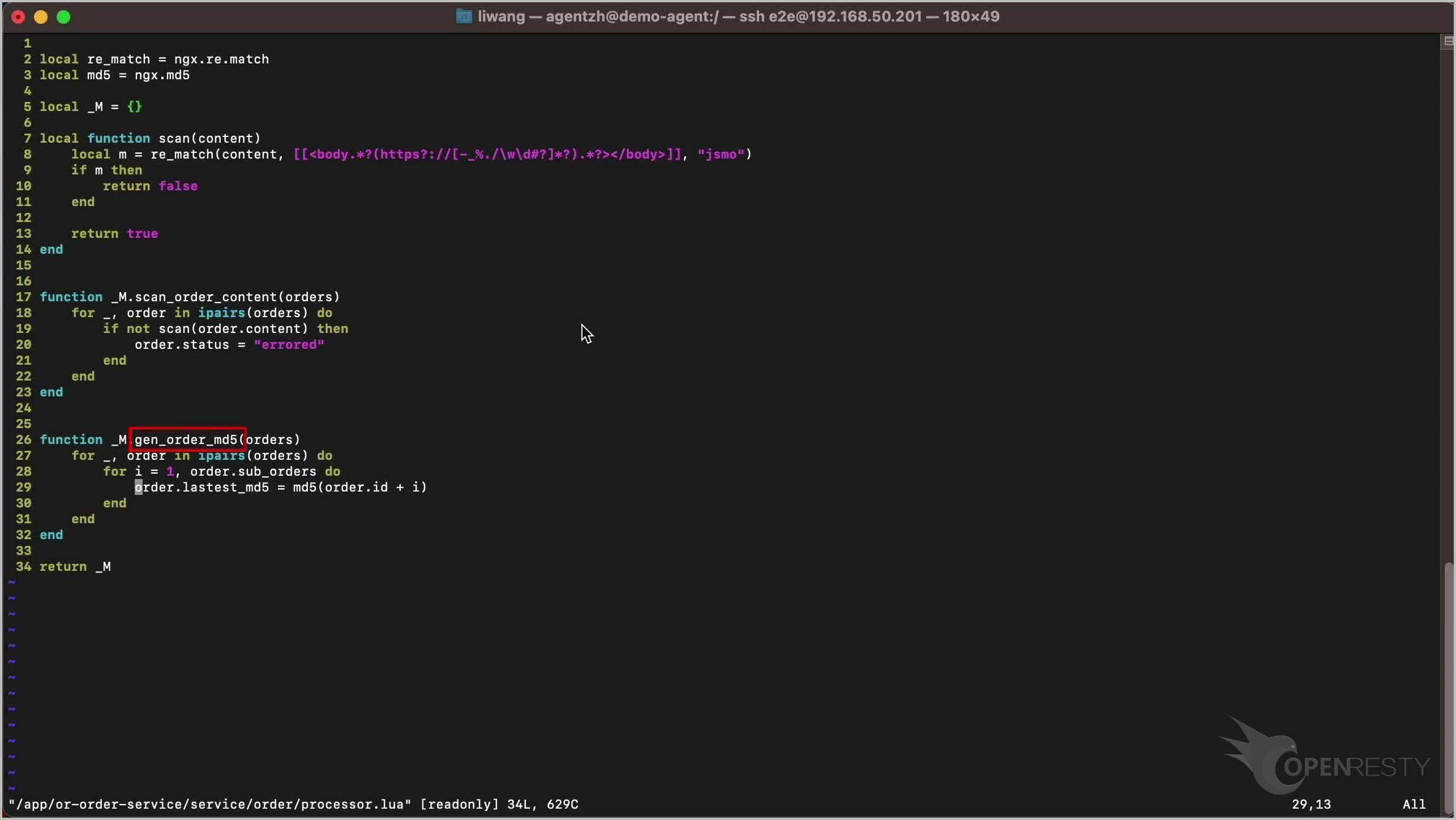
Use the VI editor and paste the code path we just copied to look at the corresponding business Lua code. You can use any editor you like.
From the previous report, we know it is line 29.
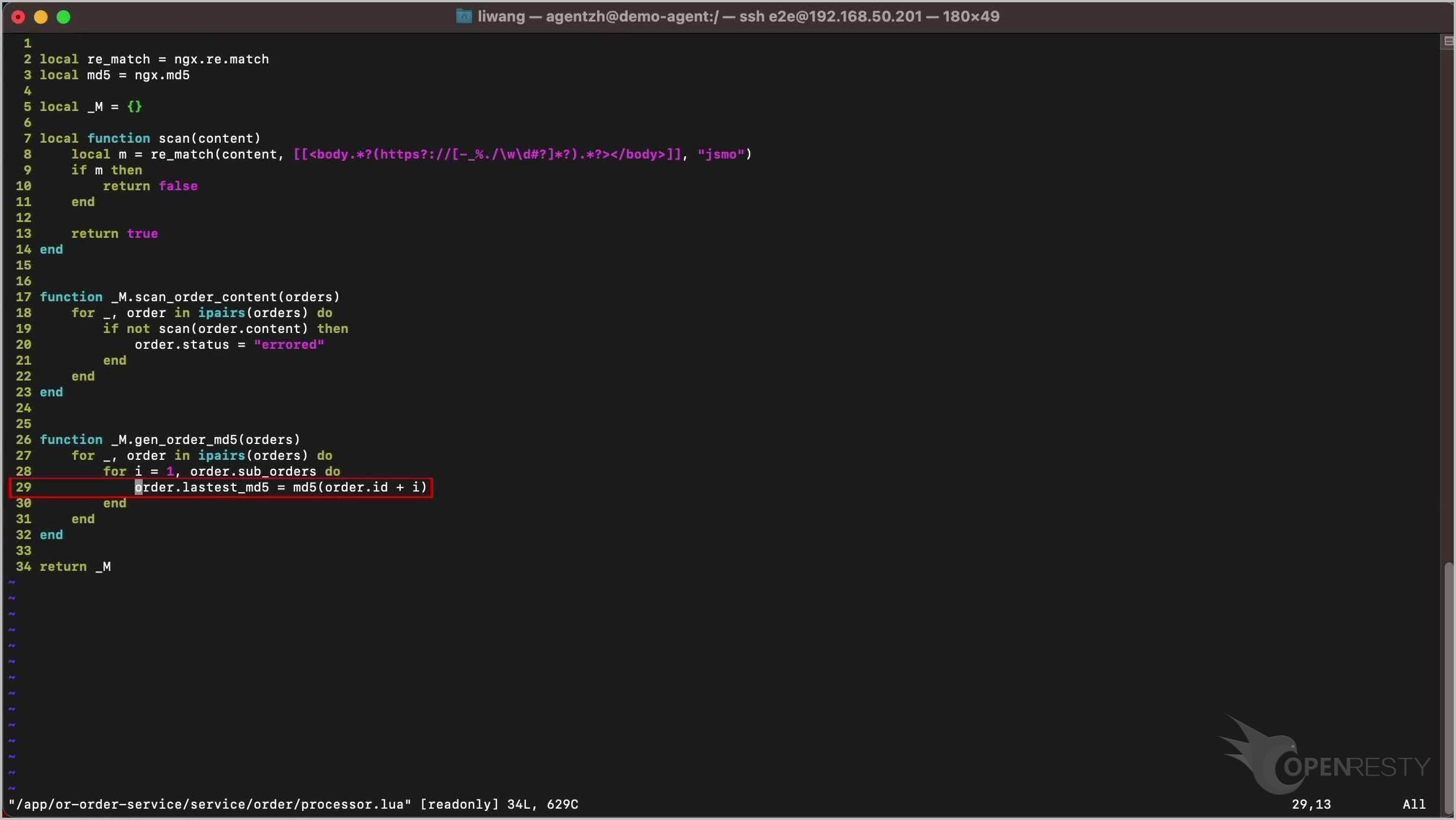
We can see this Lua source line indeed contains the md5 computation in a loop.
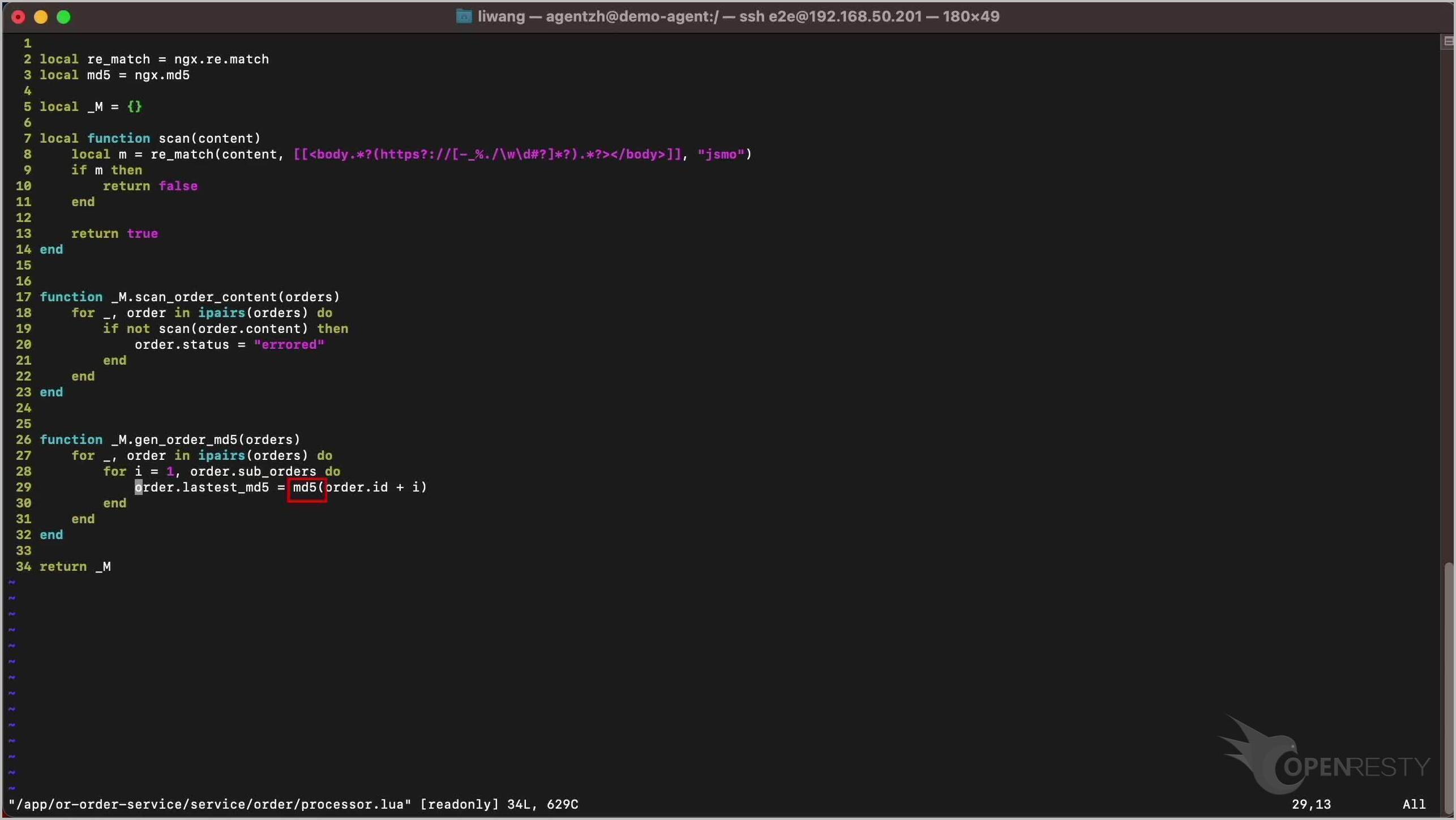
It is also in the function gen_order_md5 shown in the report.
Here we had the business source code to open; when the hotspot lives inside a closed-source third-party “black box” module, OpenResty XRay can still pin it to an exact line — see When a “Black Box” Plugin Consumes 45% CPU: How We Pinpointed Lua Line 93 Without Source Code.
Monitor Lua CPU usage automatically with Insights reports
OpenResty XRay can also monitor online processes automatically and show analysis reports. You can find the reports in the Insights page for daily and weekly periods. For what these automatic reports cover and how to read them, see Automatic Analysis Reports in OpenResty XRay.
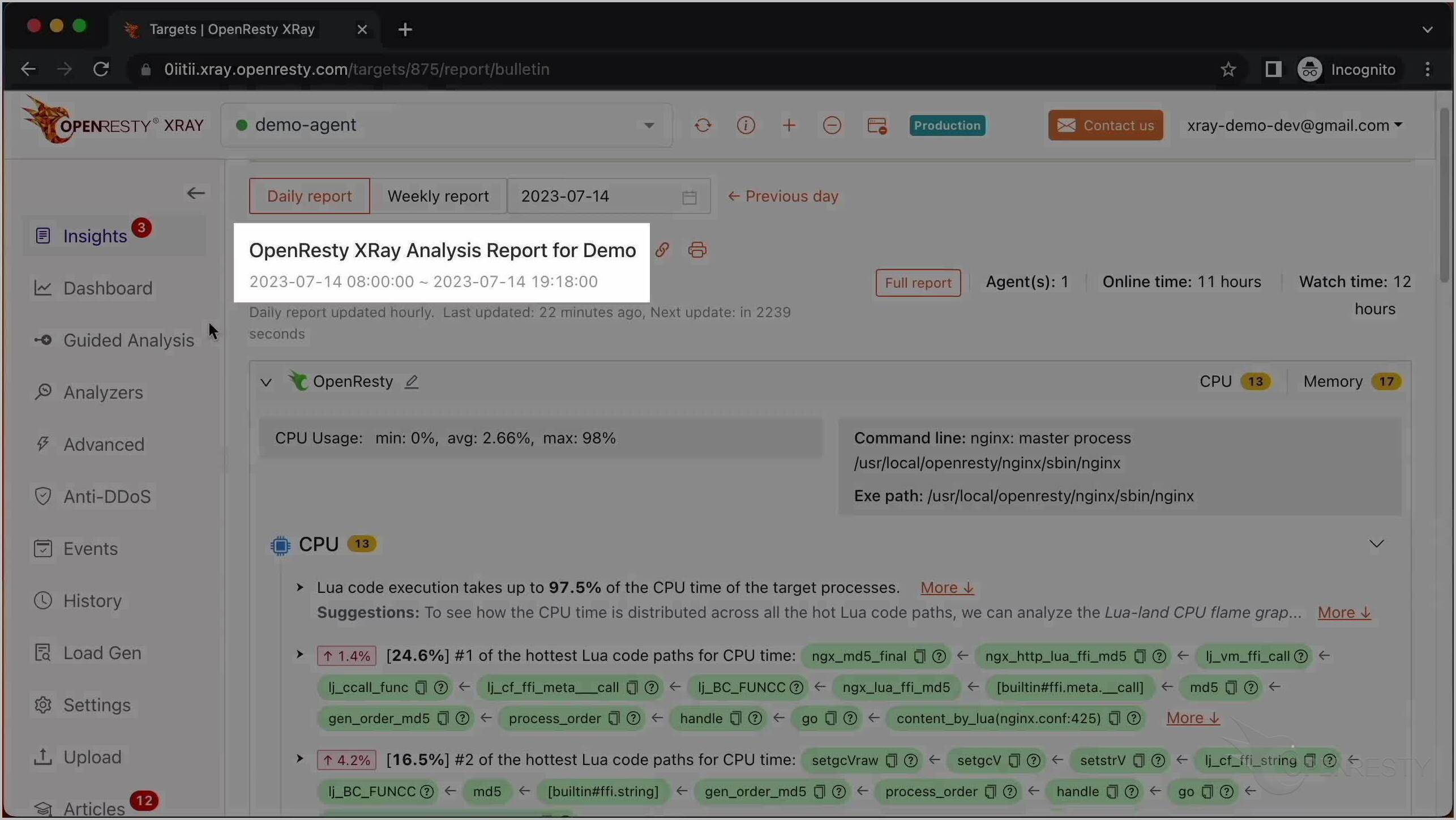
For this reason, you don’t have to use the Guided Analysis feature. Guided analysis is useful for application development and demonstration purposes.
OpenResty XRay is a non-invasive diagnostic system based on our own dynamic-tracing technology. It can monitor and scan the performance problems, behavioral issues, and security vulnerabilities in real-time.

If you like this tutorial, please subscribe to this blog site and/or our YouTube channel. Thank you!
Frequently asked questions
Why is my Nginx worker process using 100% CPU?
In this case, the Nginx worker process was burning almost a full CPU core because of a hot Lua code path: an MD5 computation running inside a loop in the application’s business code. Profiling the live process is how you find out which Lua code path is responsible in your own servers.
How do I find which Lua code is using the CPU?
Use the Guided Analysis feature of OpenResty XRay: select the High CPU problem type, pick the busy worker process, and keep both the Lua and C language levels selected. The generated report shows the hottest Lua code path, a Lua CPU flame graph with the hot path marked in red, and the exact source file and line number — processor.lua line 29 in this tutorial.
Can I profile Lua CPU usage without restarting Nginx?
Yes. OpenResty XRay analyzed this unmodified Nginx process in real time, without restarting it or changing any code. It is a non-invasive diagnostic system based on dynamic-tracing technology, and it can also monitor online processes automatically and produce daily and weekly reports in the Insights page.
What is OpenResty XRay
OpenResty XRay is a dynamic-tracing product that automatically analyzes your running applications to troubleshoot performance problems, behavioral issues, and security vulnerabilities with actionable suggestions. Under the hood, OpenResty XRay is powered by our Y language targeting various runtimes like Stap+, eBPF+, GDB, and ODB, depending on the contexts.
About The Author
Yichun Zhang (Github handle: agentzh), is the original creator of the OpenResty® open-source project and the CEO of OpenResty Inc..
Yichun is one of the earliest advocates and leaders of “open-source technology”. He worked at many internationally renowned tech companies, such as Cloudflare, Yahoo!. He is a pioneer of “edge computing”, “dynamic tracing” and “machine coding”, with over 22 years of programming and 16 years of open source experience. Yichun is well-known in the open-source space as the project leader of OpenResty®, adopted by more than 40 million global website domains.
OpenResty Inc., the enterprise software start-up founded by Yichun in 2017, has customers from some of the biggest companies in the world. Its flagship product, OpenResty XRay, is a non-invasive profiling and troubleshooting tool that significantly enhances and utilizes dynamic tracing technology. And its OpenResty Edge product is a powerful distributed traffic management and private CDN software product.
As an avid open-source contributor, Yichun has contributed more than a million lines of code to numerous open-source projects, including Linux kernel, Nginx, LuaJIT, GDB, SystemTap, LLVM, Perl, etc. He has also authored more than 60 open-source software libraries.
Related Articles
OpenResty XRay Dec 25, 2023

OpenResty XRay Sep 28, 2023

OpenResty XRay Aug 23, 2023

OpenResty XRay Aug 4, 2023

OpenResty XRay Aug 27, 2026