
How to Auto-Approve Kubernetes Gateway Nodes with OpenResty Edge
Yes — OpenResty Edge can auto-approve Kubernetes gateway nodes. Once you bind a gateway cluster to a Kubernetes cluster and enable “map to Kubernetes,” any gateway pod that Kubernetes starts or restarts is approved and joined to the cluster automatically, with no manual sign-off. This tutorial walks through the exact binding steps in the Web console and verifies the auto-approval with kubectl.
Bind Kubernetes to a gateway cluster to enable auto-approval
If the gateway server runs in Kubernetes and it exits unexpectedly, Kubernetes will start another gateway server; having to approve each replacement manually would be cumbersome. OpenResty Edge can automate this process.
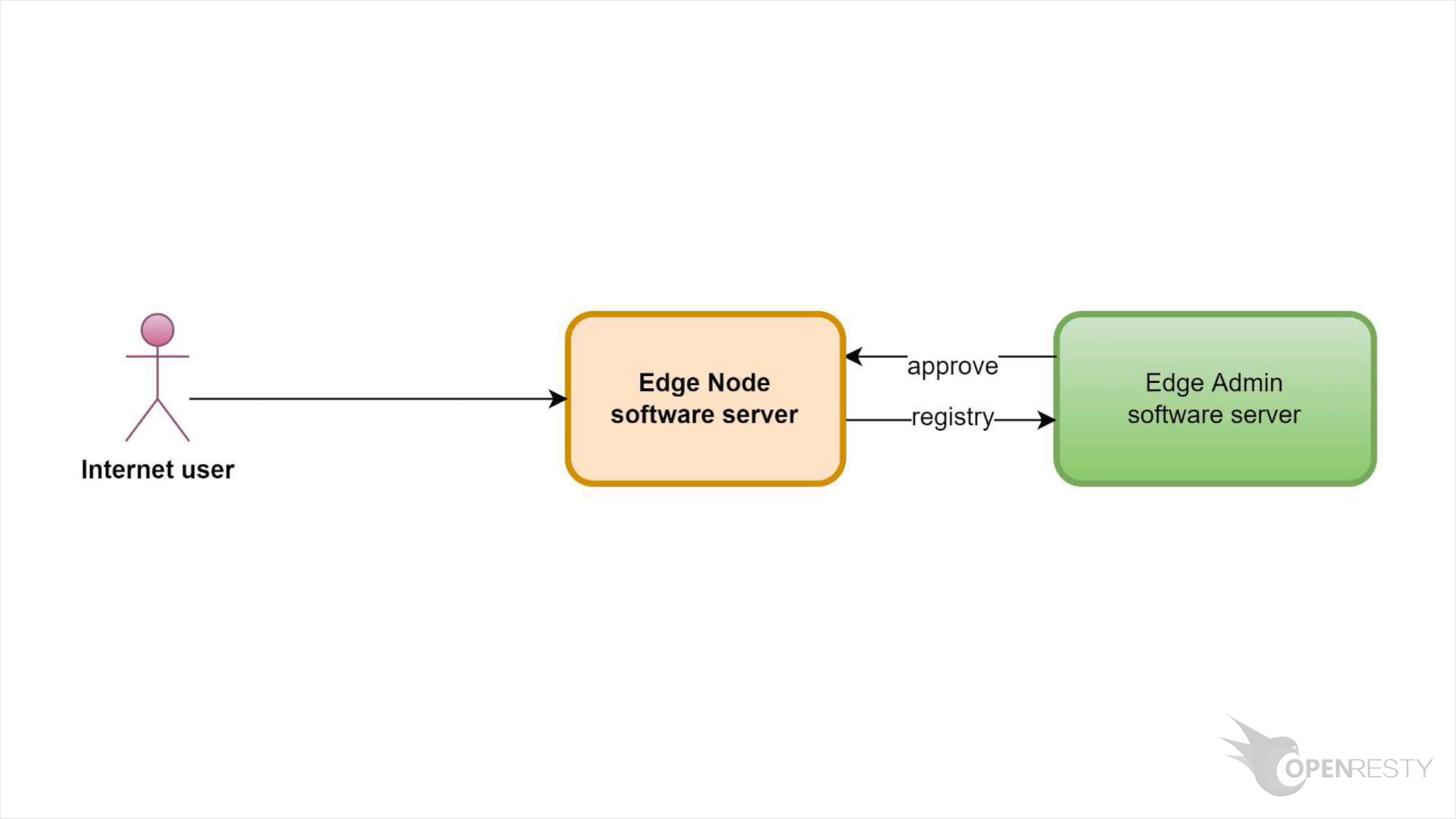
Switch to the Admin console of OpenResty Edge. The screenshots in this tutorial come from our sample deployment of the console; every user has her own local deployment.
After you bind Kubernetes to a gateway cluster, the gateway server running in this Kubernetes is automatically approved.
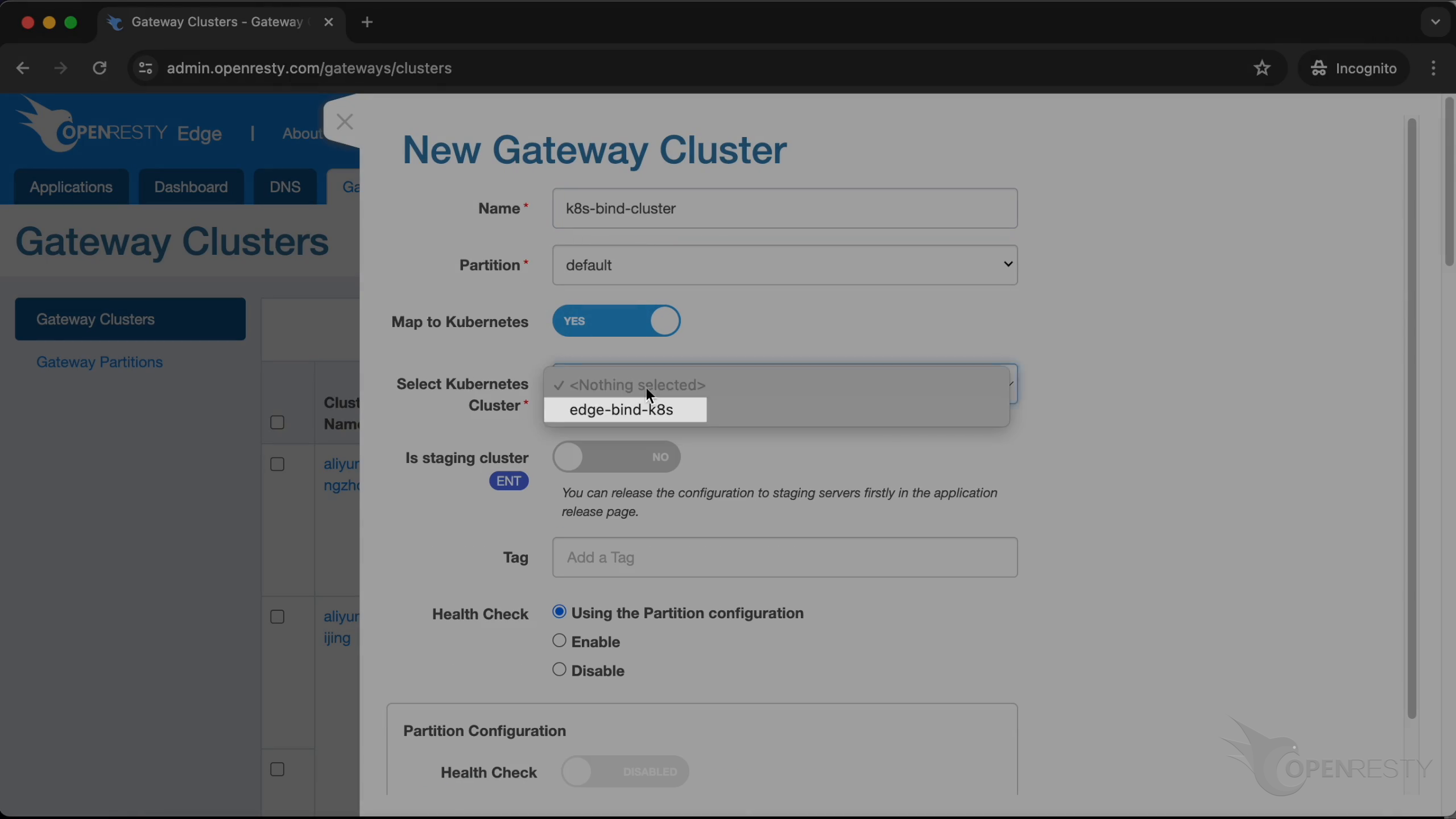
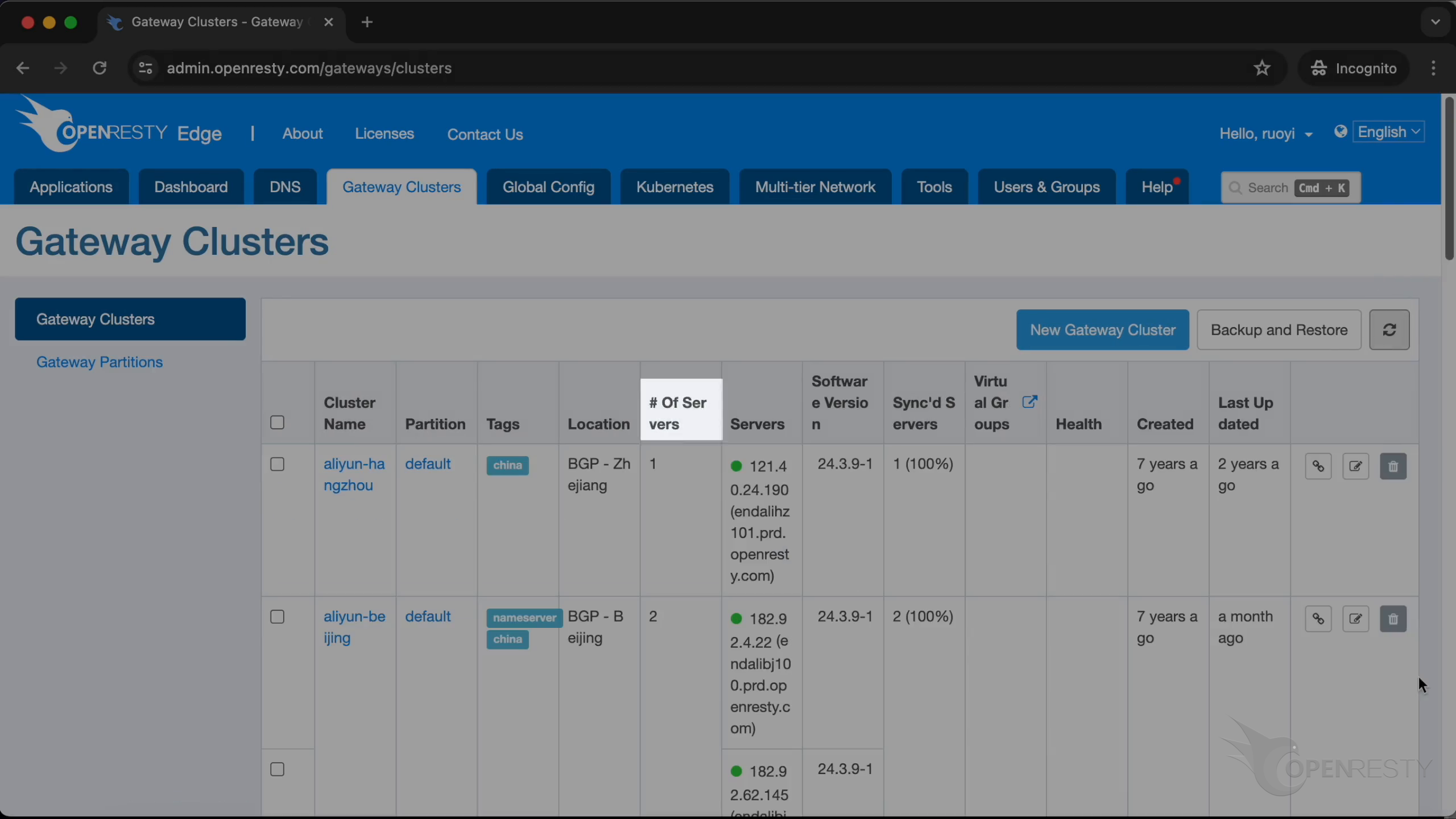
Go to the “Gateway Clusters” page and create a new gateway cluster: enter the gateway cluster name as k8s-bind-cluster, enable map to Kubernetes, select the Kubernetes cluster you want to bind, and click on “Create”.
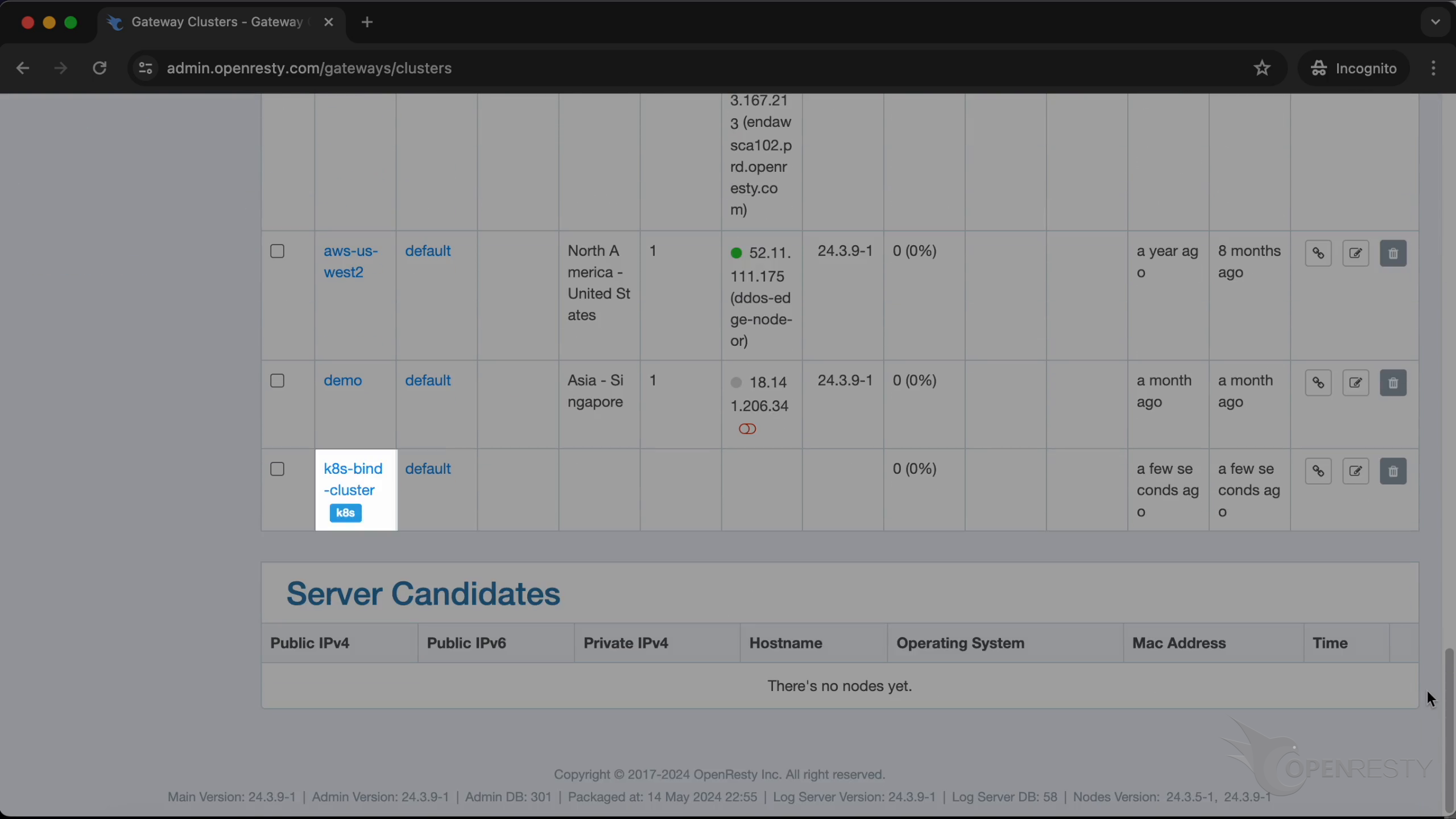
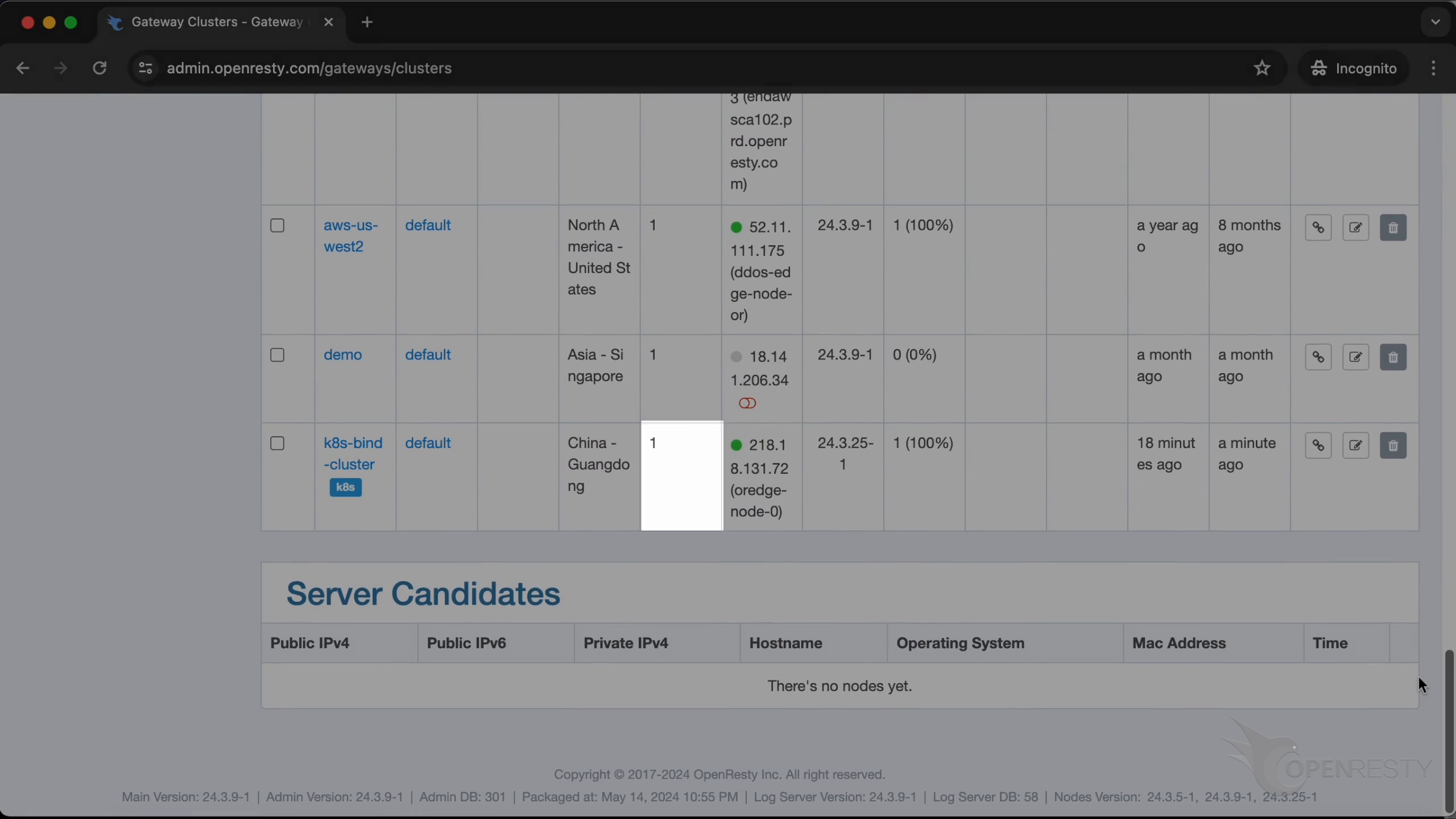
You will see that a new cluster is created successfully; there aren’t any gateway nodes in this cluster right now.
Verify auto-approval when a gateway pod starts in Kubernetes
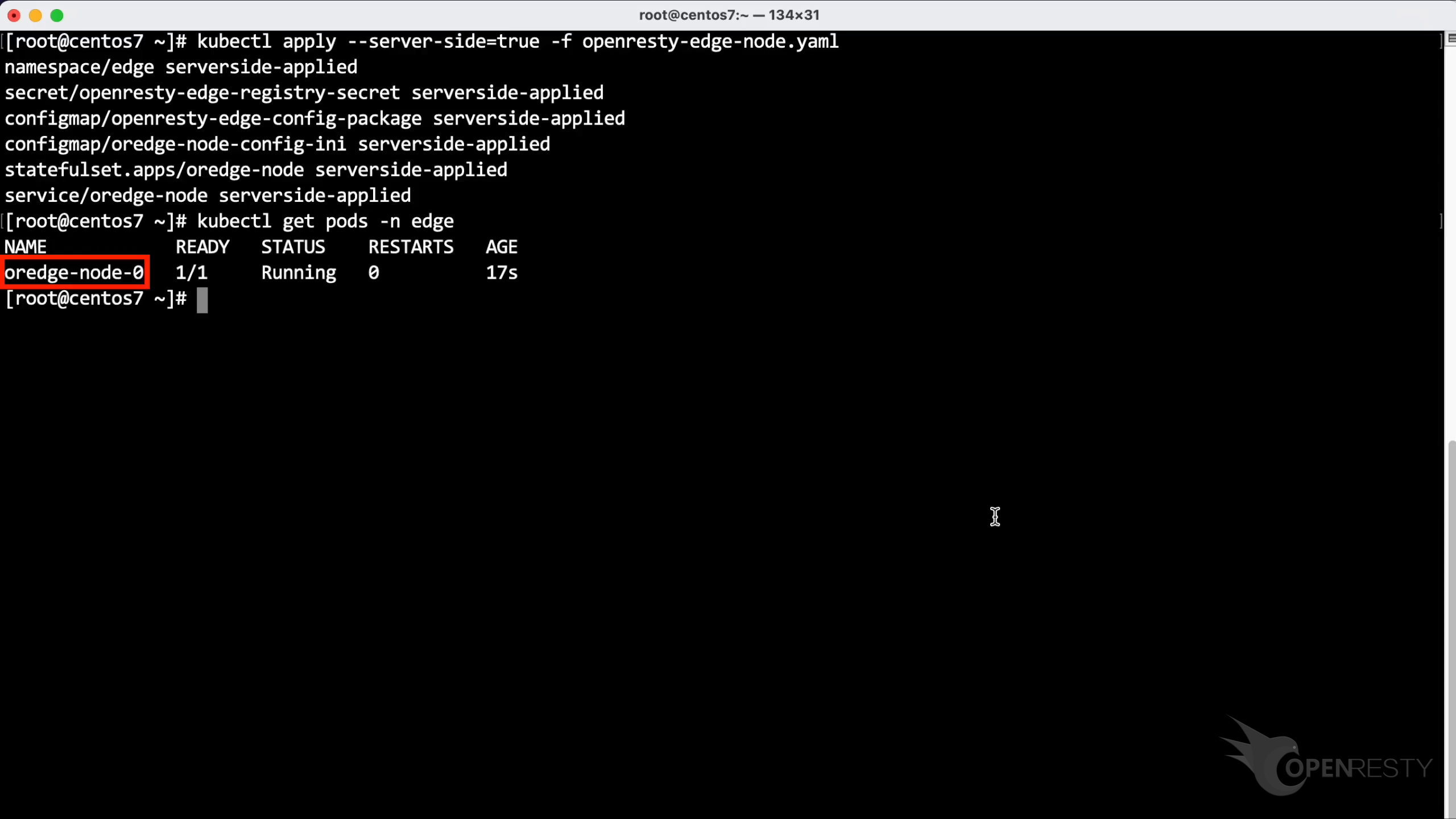
On the terminal, we have prepared a yaml file to start the gateway server in Kubernetes.
Run kubectl apply to deploy the resource configuration, then kubectl get pods -n edge to view all Pods in the cluster.
We can see that the gateway server has started successfully.
Return to Admin. Refresh the list. Check the number of servers. In the flow demonstrated in this tutorial, the gateway server in Kubernetes has been successfully and automatically added to this gateway cluster.
Summary
After you complete the binding in the Web console and enable map to Kubernetes, follow the yaml from the tutorial video to start the gateway server in Kubernetes and run the kubectl commands stated in this article. You can then reproduce what the tutorial demonstrates—no further manual approval is required—and the gateway server appears in this gateway cluster, matching the steps at the beginning of the video.
For the bigger picture of how OpenResty Edge handles the full gateway node lifecycle—including autoscaling events and unified control across multiple Kubernetes clusters—see Automating Kubernetes Gateway Node Lifecycle with OpenResty Edge.
Frequently asked questions
Does OpenResty Edge auto-approve gateway nodes in Kubernetes?
Yes. After you bind a gateway cluster to a Kubernetes cluster and enable “map to Kubernetes” in the Web console, any gateway server that Kubernetes schedules into that cluster is approved and joined automatically. You no longer sign off on each node by hand, so nodes can start serving traffic as soon as their pods are ready.
What happens when a gateway pod restarts or is replaced in Kubernetes?
When a gateway pod exits unexpectedly, Kubernetes starts a replacement. Because the gateway cluster is mapped to Kubernetes, that replacement gateway server is auto-approved and rejoins the cluster on its own—no manual re-approval is needed. This keeps the gateway cluster’s node count in sync with what Kubernetes is actually running.
Do I still need to manually approve replacement gateway nodes?
No. Manual approval is only the default behavior for gateway servers that are not mapped to Kubernetes. Once the k8s-bind-cluster mapping is in place, the approval step is handled automatically for every gateway node that Kubernetes brings up in that cluster.
About OpenResty Edge
OpenResty Edge is our all-in-one gateway software for microservices and distributed traffic architectures. It combines traffic management, private CDN construction, API gateway, security, and more to help you easily build, manage, and protect modern applications. OpenResty Edge delivers industry-leading performance and scalability to meet the demanding needs of high concurrency, high load scenarios. It supports scheduling containerized application traffic such as K8s and manages massive domains, making it easy to meet the needs of large websites and complex applications.
If you like this tutorial, please subscribe to this blog site and/or our YouTube channel. Thank you!
About The Author
Yichun Zhang (Github handle: agentzh), is the original creator of the OpenResty® open-source project and the CEO of OpenResty Inc..
Yichun is one of the earliest advocates and leaders of “open-source technology”. He worked at many internationally renowned tech companies, such as Cloudflare, Yahoo!. He is a pioneer of “edge computing”, “dynamic tracing” and “machine coding”, with over 22 years of programming and 16 years of open source experience. Yichun is well-known in the open-source space as the project leader of OpenResty®, adopted by more than 40 million global website domains.
OpenResty Inc., the enterprise software start-up founded by Yichun in 2017, has customers from some of the biggest companies in the world. Its flagship product, OpenResty XRay, is a non-invasive profiling and troubleshooting tool that significantly enhances and utilizes dynamic tracing technology. And its OpenResty Edge product is a powerful distributed traffic management and private CDN software product.
As an avid open-source contributor, Yichun has contributed more than a million lines of code to numerous open-source projects, including Linux kernel, Nginx, LuaJIT, GDB, SystemTap, LLVM, Perl, etc. He has also authored more than 60 open-source software libraries.
Related Articles
OpenResty XRay Jun 26, 2024

OpenResty XRay May 8, 2024

OpenResty XRay Apr 28, 2024

OpenResty XRay Sep 2, 2025

OpenResty XRay May 18, 2026